Share the mirror link with those who cannot access this site: https://storage.googleapis.com/amnezia/amnezia.org

How to run your VPN
Three simple steps to create your own VPN on a virtual server
If you received the key through the Amnezia Free or Amnezia Premium service, you do not need to buy a server. Open the file using the Amnezia app.
1
Buy a server (VPS), if you don't have one
2
You will receive an email from the hosting provider
The email should include the IP address, User name or User ID, and Password. You will need these for setting up the VPN on the server in the next step.
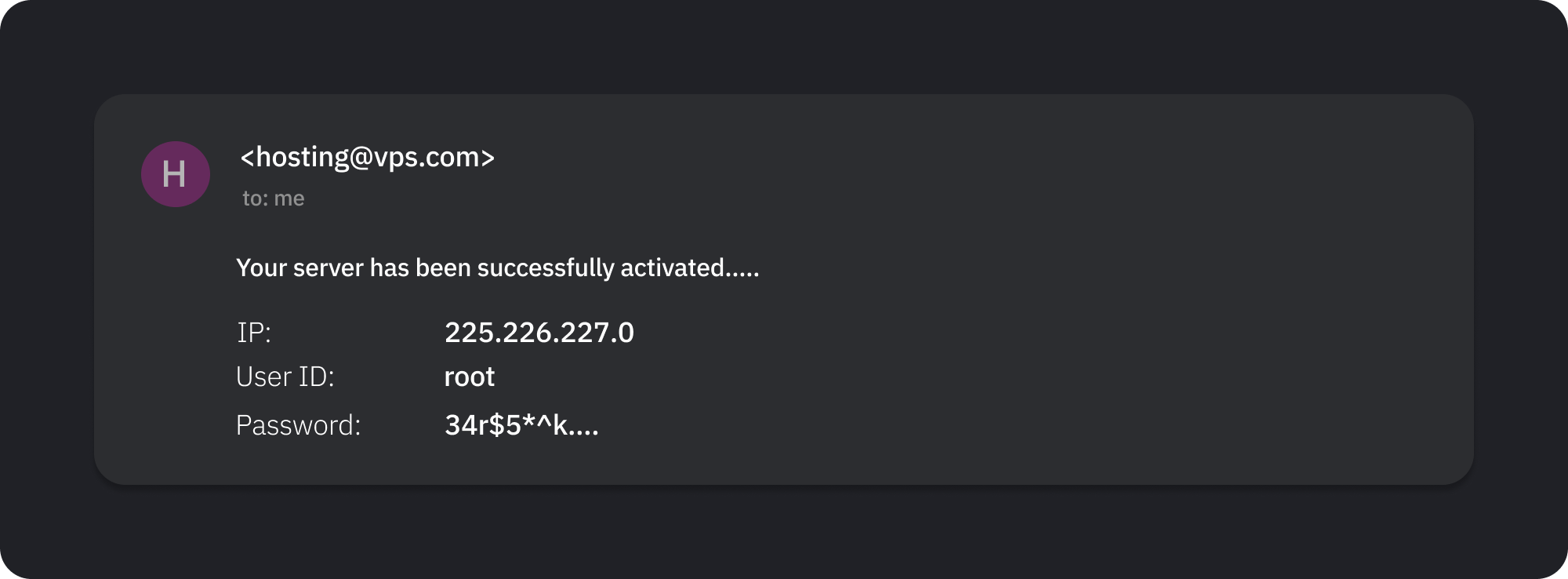
⚠️ Some hosting providers do not send server details via email. In such cases, you can usually find the server information in your hosting provider's account dashboard. If you encounter difficulties, contact their support.
3
Download the AmneziaVPN app and enter the server details
After installation, launch the application.
On the first screen, select “I have connection details”, then “Set up your own server”, and enter the data from the email sent by the hosting provider.
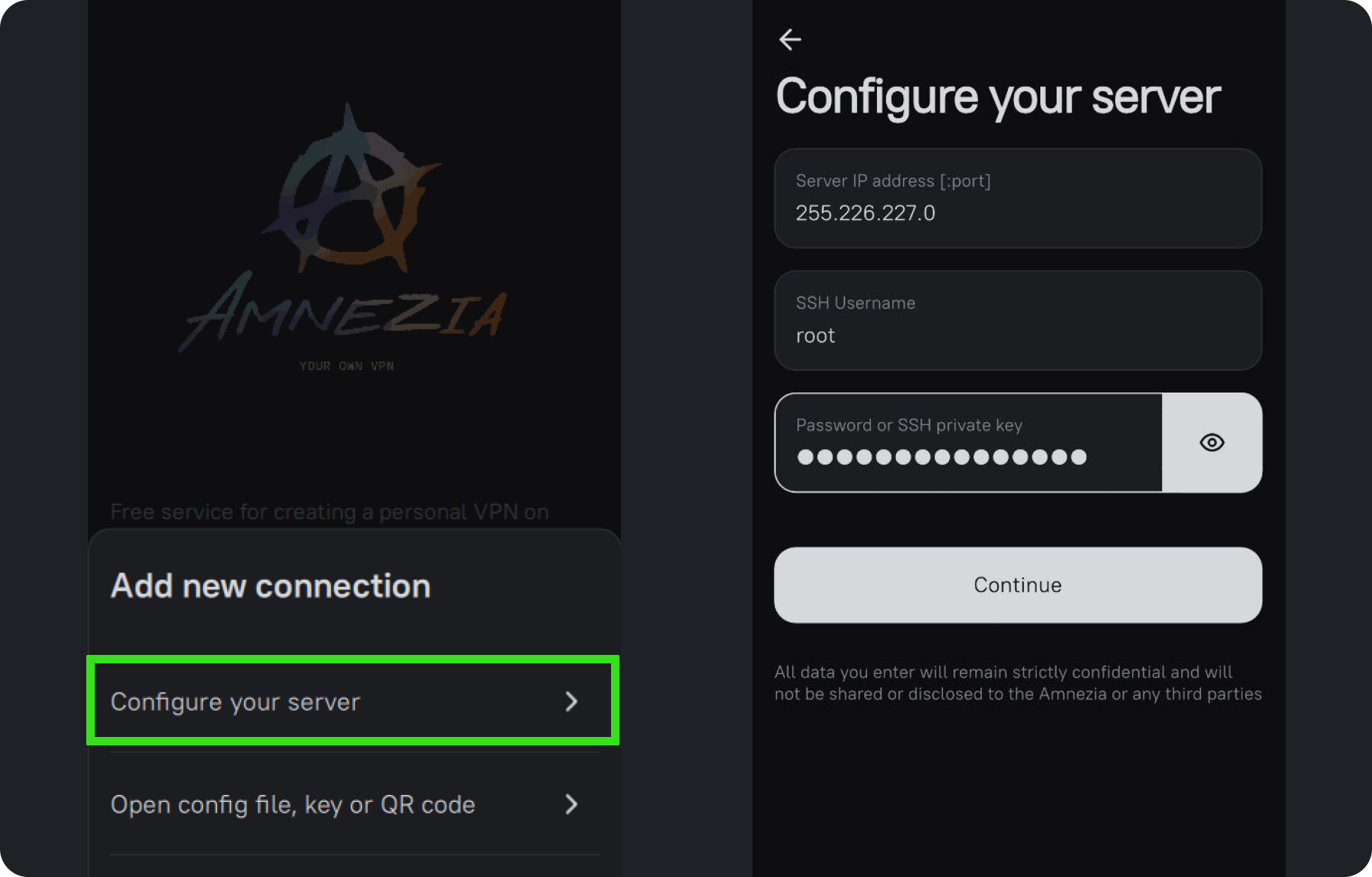
Press “Continue” and follow the prompts in the application.
You can find more information about connection methods and app functionality in our documentation.
Contact the bot or chat for help if something does not work